
Forget What You Know: Google Maps Looks Completely Different Today
Google rolls out Immersive Navigation in Maps, delivering a 3D driving experience for American motorists.

Google is continuing to upgrade its Maps platform, and this time the change goes far beyond a simple visual tweak. The company is rolling out a new driving mode called Immersive Navigation, which it describes as the biggest update to the service in more than a decade. Right away, users will notice that the traditional flat map look is disappearing, replaced by a far more dimensional interface designed to make navigation easier to follow.
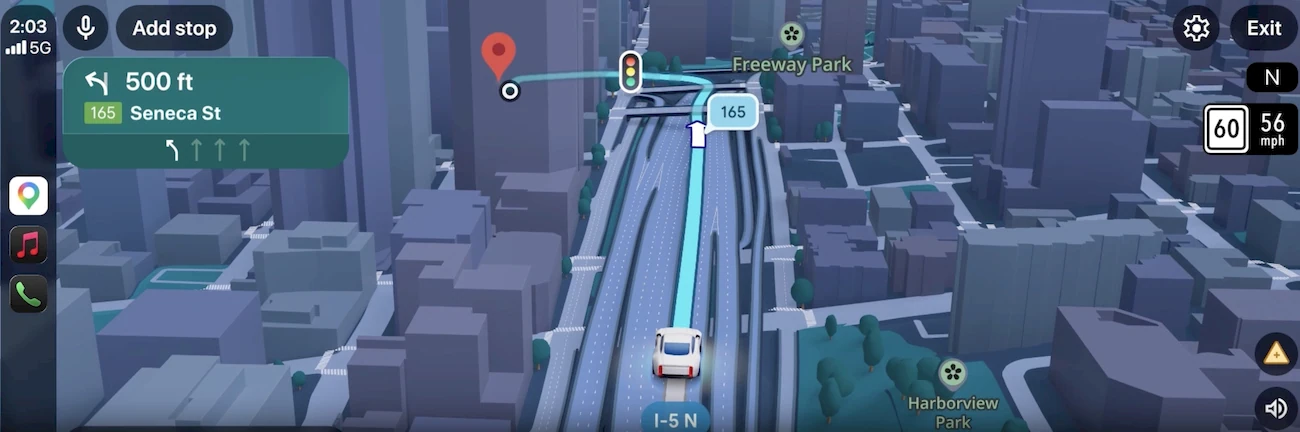
The biggest focus is a modern 3D visual style. The map is built using data from Google Street View, allowing the surrounding environment to appear far more realistic. Buildings, highway overpasses, and even landscaped areas are rendered in detail. According to Google, this approach should make it easier for drivers to orient themselves in unfamiliar neighborhoods and reduce the chance of last-second mistakes when approaching complex intersections.
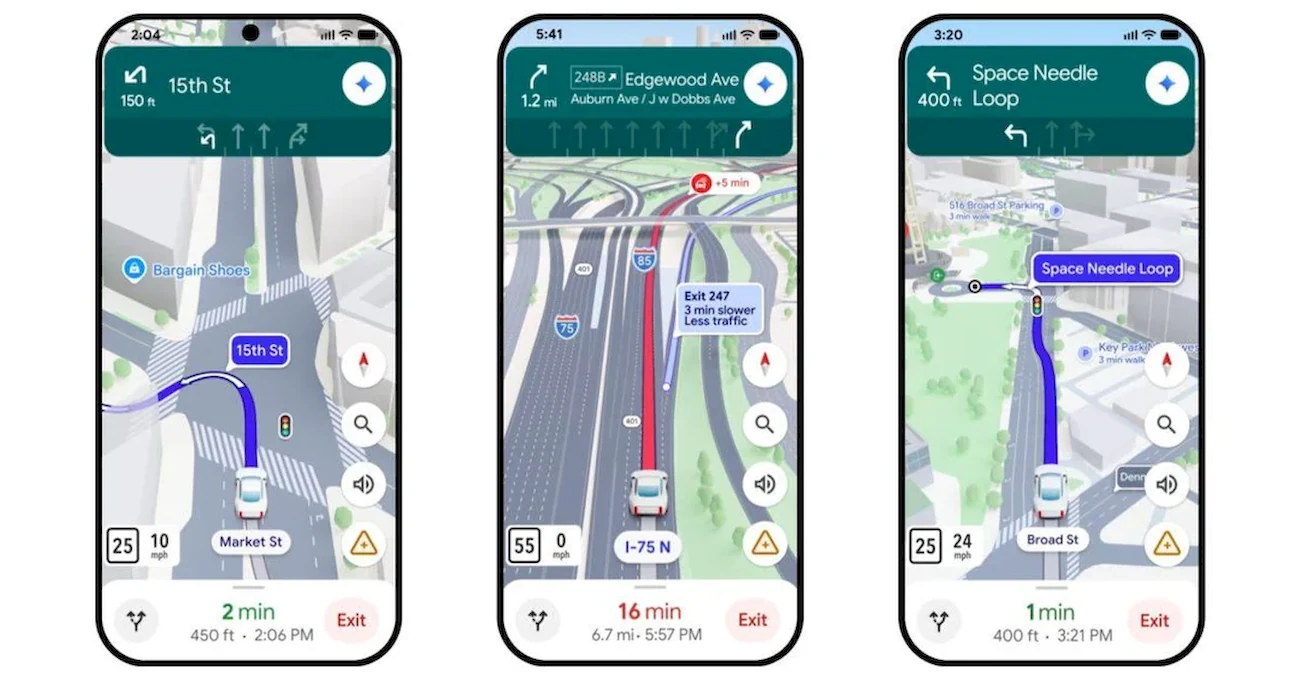
Several practical features are included in the new interface:
- the system highlights traffic lanes, crosswalks, traffic lights, and STOP signs;
- voice directions sound more natural and conversational;
- a “smart zoom” automatically adjusts the view when approaching complicated sections of a route.
One particularly interesting addition is what Google calls “transparent buildings.” The feature allows map objects to become partially see-through so drivers can better anticipate upcoming turns, lane changes, and interchanges before they reach them.
At the same time, the service is improving how it explains route alternatives. Google says Google Maps processes roughly five million traffic updates every second. As a result, the system continuously recalculates routes and now shows not only an alternative path but also the trade-offs involved.
For example, the app might:
- warn about an issue on your main route, such as a crash on the freeway;
- suggest a detour via the nearest exit;
- explain the difference — perhaps lighter traffic but about two miles longer and roughly three extra minutes of travel time.
Drivers will also find it easier to plan trips in advance. The update adds route previews, access to Street View images along the drive, and parking tips near the destination.
The rollout of Immersive Navigation begins in the United States today. Later, the mode will expand to Android and iOS, as well as vehicles equipped with Android Auto, Google Built‑in, and Apple CarPlay.
“Ask Maps”: a Gemini-powered AI travel assistant
Another major update focuses not on visuals, but on intelligence. Google is introducing “Ask Maps,” an AI assistant powered by Gemini.
The idea is simple: users can ask questions in natural language and receive detailed answers. Instead of just providing directions, the app can help decide where to go, where to eat, and what to see depending on your mood or plans.
In practice, the feature is especially useful for planning multi-day trips. During demonstrations, Google showed how the system could organize a three-day road trip visiting landmarks like the Grand Canyon, Horseshoe Bend, and Coral Pink Sand Dunes State Park. Ask Maps can propose an efficient travel route, recommend stops along the way, show photos, and even flag toll roads.
During the demo, the assistant also offered “insider” tips — such as which parking areas to avoid because they’re often full.
To generate these suggestions, the system analyzes information from across the web along with its own data from Google Maps. That includes a database of more than 300 million places and reviews from a community that Google says exceeds 500 million contributors. The AI also factors in personal context, such as previous searches, saved locations, and established preferences.
With Ask Maps, users can:
- request recommendations based on specific conditions, like atmosphere, group size, or time of day;
- get suggestions tailored to their tastes instead of generic lists;
- reserve a table directly in the app and instantly share the details with friends.
In other words, Google Maps is evolving from a navigation tool into a digital travel companion that helps drivers make decisions — not just reach a destination.
“Ask Maps” is launching now in the United States and India on Android and iOS, with a desktop version expected in the near future.
You may also be interested in the news:

Dangerous Rhythms Behind the Wheel: How Music Can Affect Driving
The songs drivers love most can influence speed, attention and risk-taking, potentially turning a routine trip into a dangerous one.
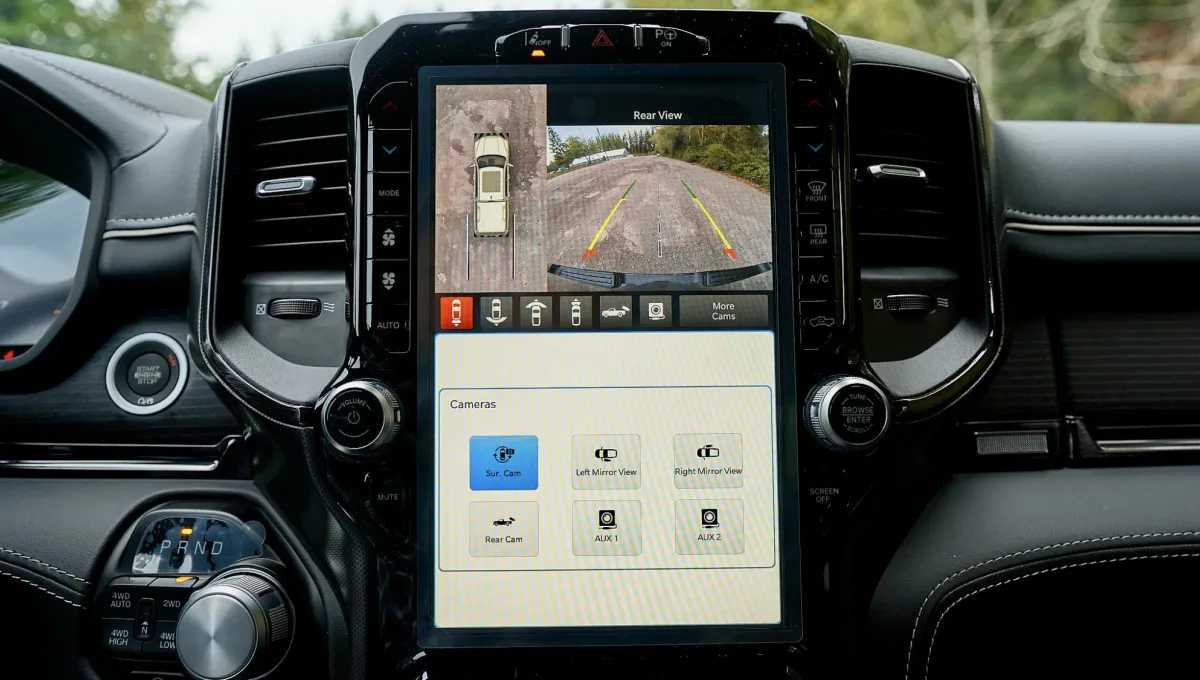
Chrysler Recalls More Than 239,000 Ram 1500 Trucks Over Rearview Camera Problem
Software can prevent the rearview camera image from appearing when Ram 1500 trucks enter Reverse.

Update Your Rivian R1 and Get the New Operating System, Now Available to First-Generation Owners
Rivian’s 2026.31 update brings RivianOS 2 to every R1T and R1S, extending the same software platform powering the newer R2.
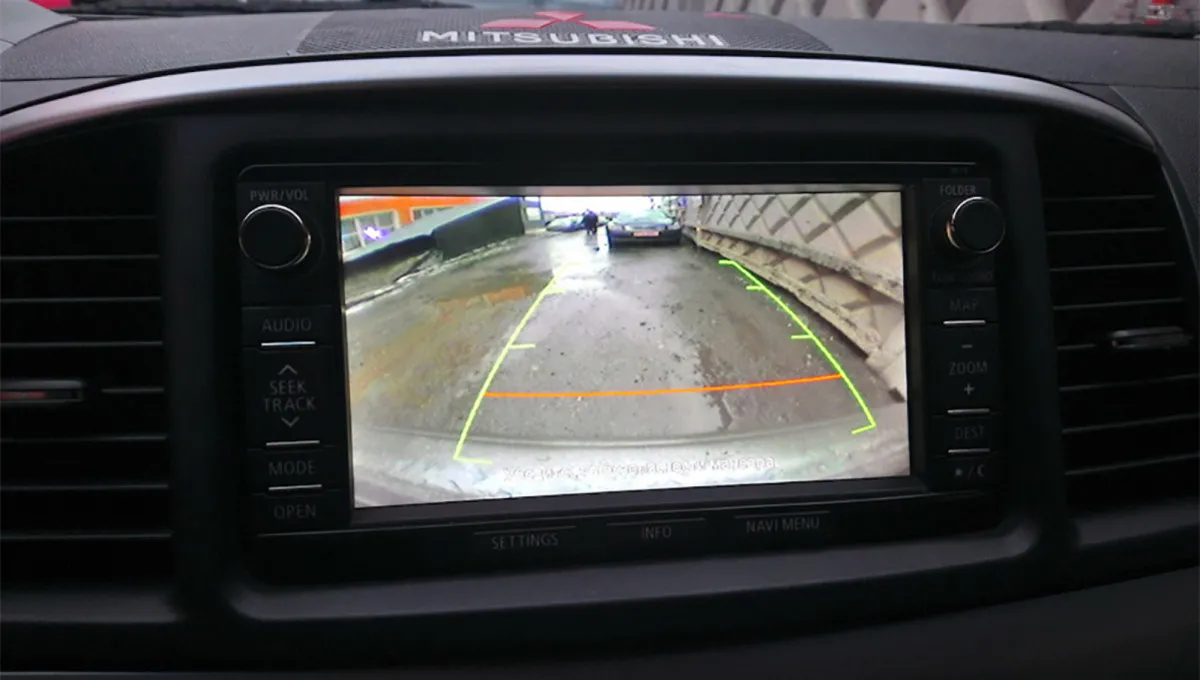
Mitsubishi Recalls 67K Outlanders—A Backup Camera Failure Could Put Drivers at Risk
Mitsubishi is recalling more than 67,000 Outlander SUVs because a software glitch can prevent the rearview camera from displaying an image.
Android Auto finally fixes a connection bug that made it nearly unusable
The latest Android Auto 17.4 update fixes a connection bug that made everyday drives frustrating for affected users.